Mods for Ravenswatch
Ravenswatch Mod Manager (RSMM) is a free app that installs Ravenswatch mods, keeps them in order and puts your game back the way it was whenever you ask.
Version 5.9.10 for Windows, Linux and Steam Deck. Free and open source.
Popular mods
Browse all mods
HyperAgro
by ovilli_admin
HyperAgro
Damage Meter
by RSMM
Per-player damage, share and DPS for co-op runs, with a live on-top overlay.

seeded runs maybe
by notpam
shoud allow to input 1 seed for the whole run

Example: Raw Asset Override
by RSMM
Reveal Map
by RSMM
No Overtime Tint
by Ovilli
Removes the red screen tint before and during overtime. Everything else about overtime stays.
Lucky Chests
by RSMM

Example: Magic Item
by rsmm-examples
Pick your mods
Install mods from the registry inside the app, or drop a mod folder into your library.
Apply
One button writes the enabled mods into the game. Every file it replaces is backed up first.
Play
Launch Ravenswatch as usual. Restore puts the unmodded game back whenever you want it.
Inside the app
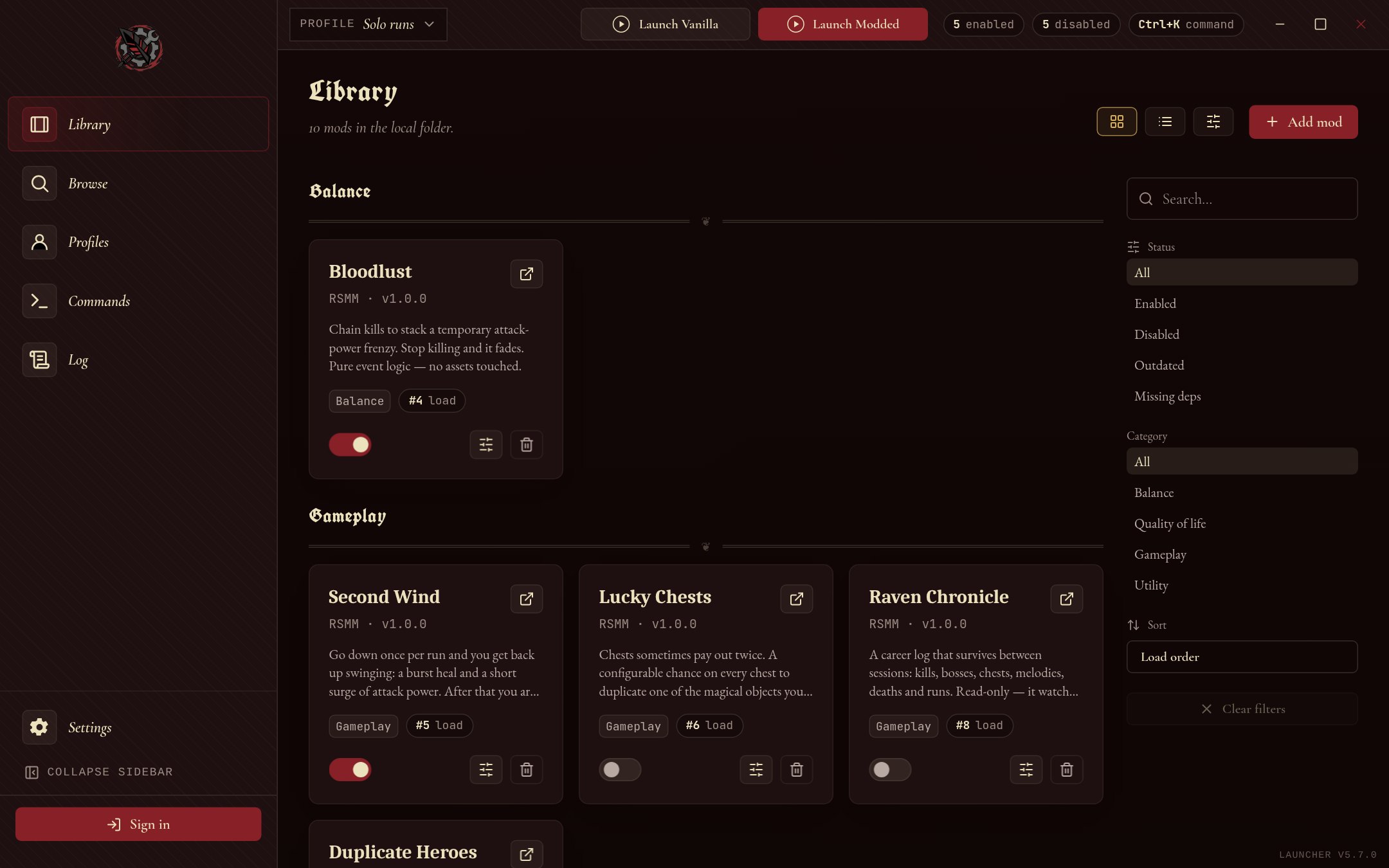
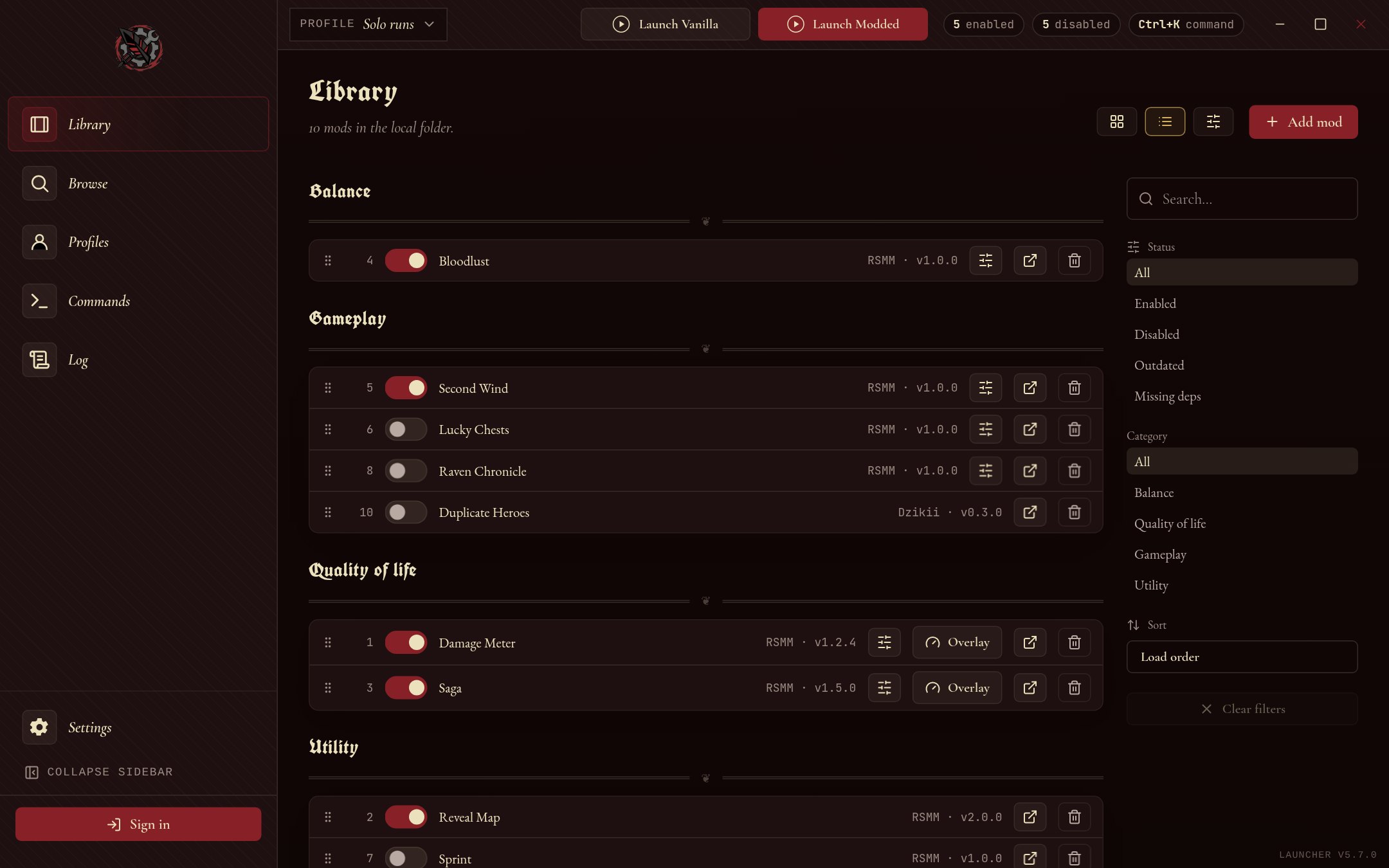
Your library, in order
Every mod in the active profile with its switch, version and load position. Mods with a heads-up display can open it as an overlay while you play.
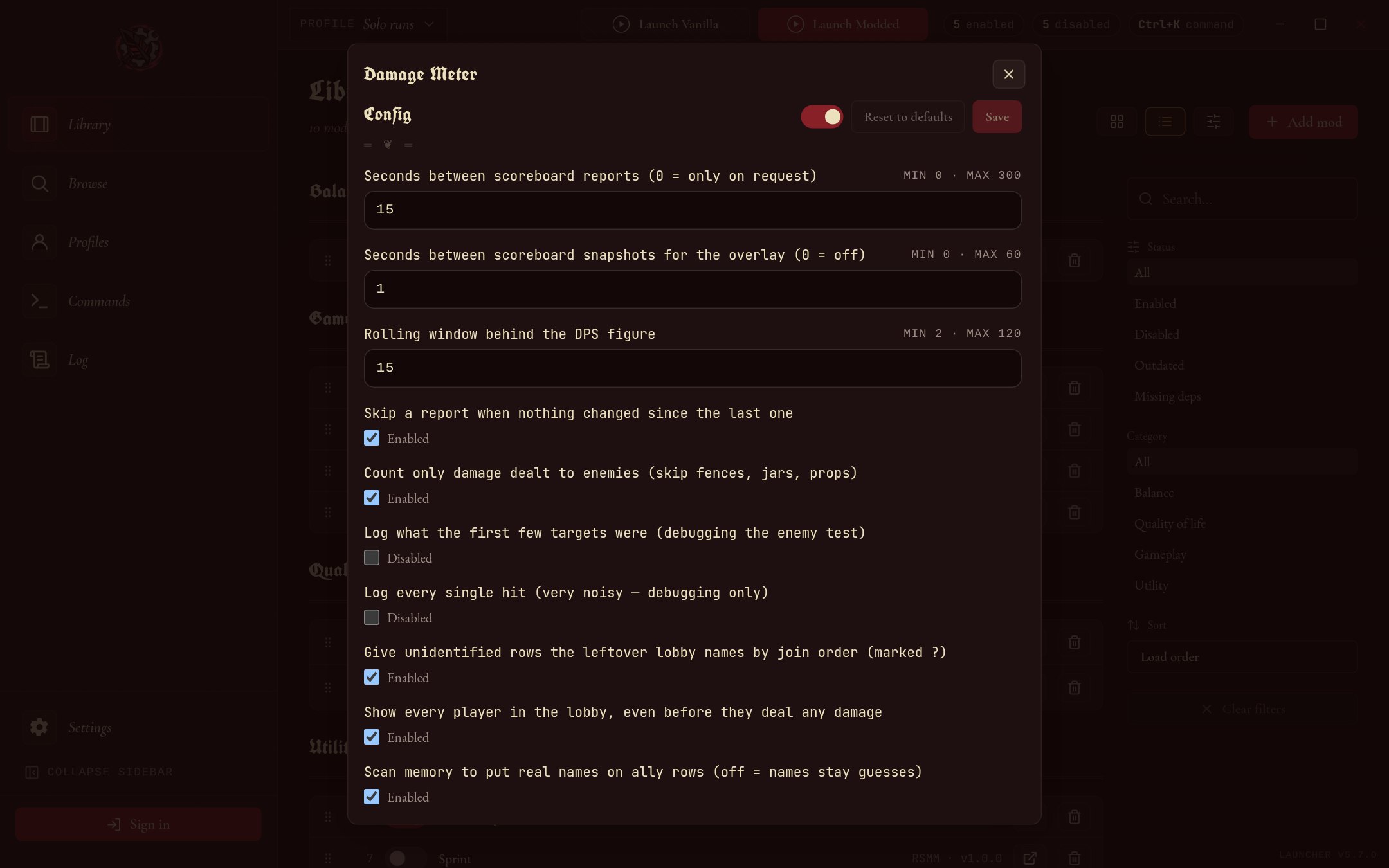
Settings without editing files
Mods declare their own options. Change a number or flip a switch, save, and apply.
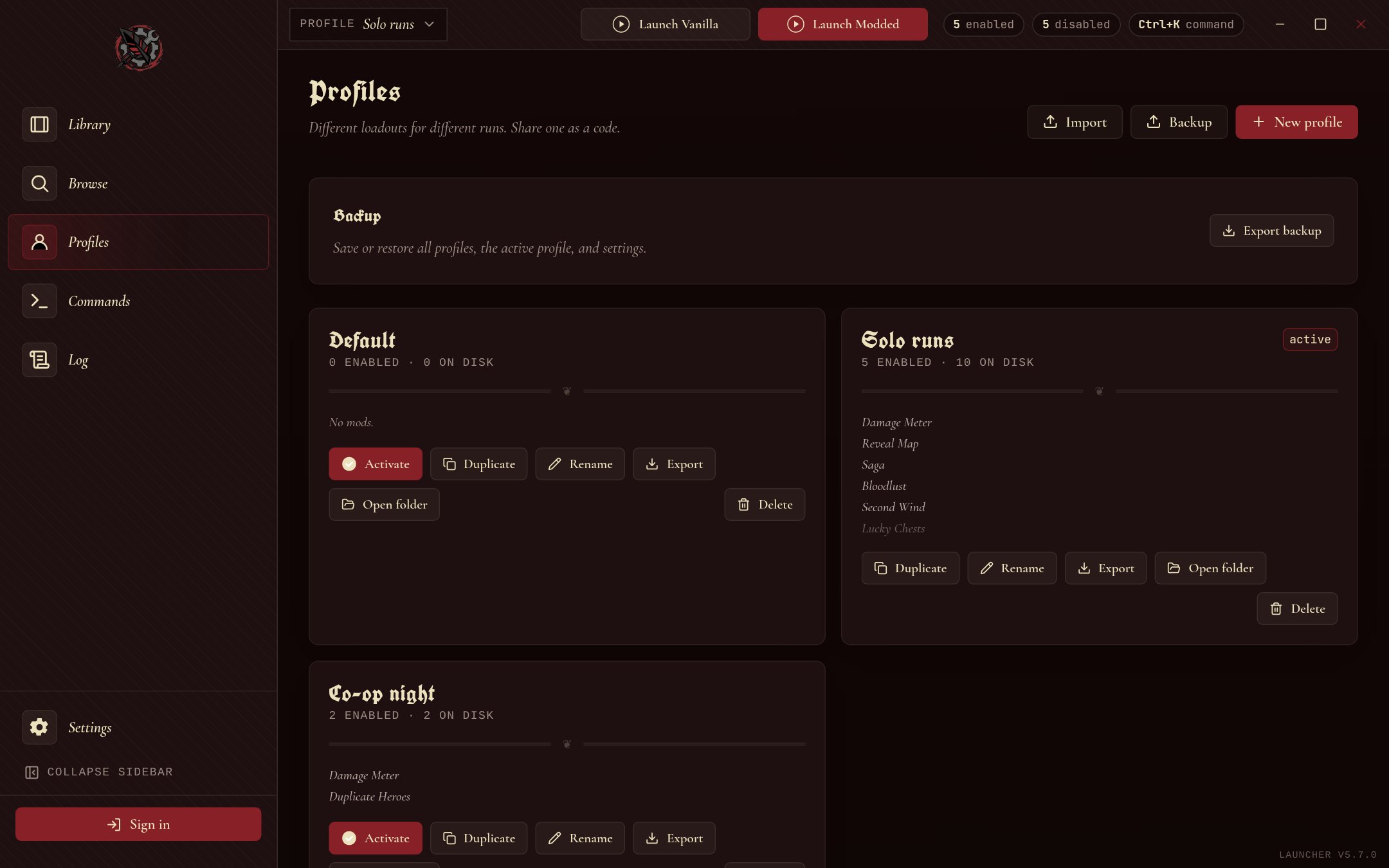
A setup for every run
Keep separate profiles for solo runs and co-op nights, and share one with a friend as a short code.
Make your own
Mods are data, not code: a manifest that says what changes, plus any textures, models or sounds. The open-source rsmm tool builds, tests and publishes them. Gameplay scripting in Lua is there when you need it.
Stuck on a setup problem instead? Read the community guides.
# start from a copy of an existing magical object
rsmm new my-first-mod --kind item
# check it, then try it in the game
rsmm lint my-first-mod
rsmm apply
# upload it to the registry
rsmm publish my-first-mod
Questions
What is Ravenswatch Mod Manager?
A free desktop app for Windows and Linux that installs and manages Ravenswatch mods. It finds your game, installs mods from this site, and backs up every file it changes.
How do I install mods?
Open the app. It finds Ravenswatch in your Steam library, or you can choose the folder in Settings. Install mods from the Browse tab, then press Apply to write them into the game.
Is it safe to use mods?
Every upload to this site is scanned for malware before anyone can download it. The app replaces game data files and never modifies Ravenswatch.exe, and every original file is backed up.
How do I uninstall mods?
Turn the mod off or remove it in your library, then press Apply. To undo every change at once, use Restore original files.
Which platforms are supported?
Windows and Linux. Prebuilt binaries are published on the GitHub releases page.
I found a bug — how do I report it?
Report bugs by creating an issue on our GitHub repository. Include steps to reproduce, what you expected, and what happened.
Where can I find more detailed documentation?
Check out the documentation site for detailed guides, tutorials, and technical reference materials.
Can other players see my installed mods?
No, mods are client-side. Other players see default game content.
Does modding edit my game files permanently?
No. The app backs up the original file before replacing it, and tracks every change. Removing a mod, or using Restore original files, puts the game back exactly as it shipped. It never patches Ravenswatch.exe.
Will mods break when Ravenswatch updates?
A game patch can change the underlying files, so after an update you should re-apply your mods. If a particular mod has not been updated for the new game version yet, remove it and check its mod page for a newer release.
Do mods work on Steam Deck and Linux?
Yes. We ship native Linux builds and the asset-replacement approach works the same under Proton, so Steam Deck and desktop Linux are fully supported. Point the app at your install folder and install mods as you would on Windows.
Can I use mods in multiplayer?
Cosmetic and client-side mods only affect your own game and are safe in co-op. Mods that change shared gameplay data are best used in single-player or when everyone in the lobby runs the same setup, since the host is authoritative over the match.
How do I make my own mod?
The app ships an SDK so mods are declarative data, not code: you describe a re-skin, a custom item, a balance tweak, or an audio swap in a manifest and the tooling produces the assets. See the Modding Guide and the documentation site for the full workflow.
How do I share a mod I made?
Sign in, open Publish, upload your packed mod and fill in the details, or run rsmm publish from the command line. It appears in the registry once its malware scan is clean. You can upload new versions and edit the page later from My Mods.
Does the Mod Manager cost anything?
No. Ravenswatch Mod Manager is free and open source. Browsing, installing, and publishing mods are all free.
Do I need the launcher running while I play?
No. The app installs mod files into your game directory, then you launch and play normally. It does not need to stay open during your session.
Where does the app install mod files?
Into your Ravenswatch install folder (the cooked-asset location the game loads from). The app resolves the correct paths for you and keeps a backup of every original it replaces.
A mod is broken or contains content it should not — what do I do?
Report it through the project issue tracker or the contact page. Uploads are covered by our Content Policy, which forbids malware and redistributed copyrighted game assets; infringing or harmful content is removed.
Not answered here? The documentation goes deeper, or open an issue.
The app has been downloaded 671 times.